
Radarr – Ultimate Movie Collection Manager
About Radarr
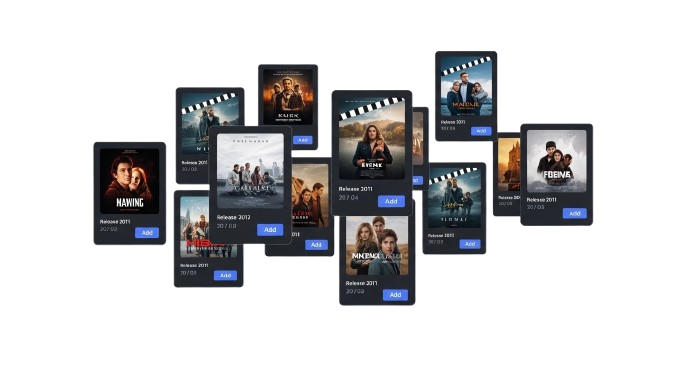
Radarr is a powerful movie collection manager designed to help users organize, track, and automate downloads of films across multiple clients and RSS feeds effortlessly. It gives you complete control over your movie library, making it easy to monitor new releases, schedule downloads, and maintain a well-organized collection.
Unlike traditional download managers that require manual searches or constant monitoring, Radarr automates the process, letting you focus on enjoying your content rather than managing it. You can set quality preferences, choose preferred release types, and Radarr will automatically fetch movies according to your specifications.
Radarr also includes advanced features beyond basic management, such as metadata fetching, renaming, and integration with various download clients. Its compatibility with multiple platforms ensures that both casual viewers and cinephiles can streamline their movie collection efficiently and reliably.

Powerful Features
Radarr is the ultimate movie management tool that helps you track, organize, and automate downloads from multiple clients and RSS feeds, keeping your film library structured and fully up-to-date.
Icons: film, video-camera, tv
Automated Downloads
Radarr automatically monitors your favorite movies and fetches new releases as per your quality and source preferences, reducing manual searching and keeping your collection always current.
Custom Quality Settings
Set preferred video quality and file formats for each movie. Radarr ensures downloads match your specifications, whether standard, HD, 4K, or specific codec preferences.
Multiple Client Support
Integrate Radarr with various download clients like Usenet, BitTorrent, or Plex. All downloads are synchronized efficiently, giving you seamless control across platforms.
Renaming & Metadata
Radarr automatically renames files, fetches metadata, and organizes folders, keeping your library clean, searchable, and visually consistent across all media platforms.
Search & Filter Movies
Quickly search for movies by name, genre, or release year. Radarr filters content efficiently, making it easy to locate specific films or plan a watchlist.
Notifications & Alerts
Get instant alerts about new releases, download completions, or errors. Radarr keeps you informed so you never miss a movie or experience download failures unnoticed.
Cross-Platform Access
Radarr works across Windows, macOS, Linux, and Docker, allowing you to manage your movie library from any device reliably and efficiently without platform restrictions.
Library Analytics
Radarr provides detailed statistics on your collection, including total movies, quality distribution, missing releases, and trends, helping you optimize your library management.
Backup & Restore
Radarr allows you to backup your movie library configuration, database, and settings. Restore them anytime to recover from errors, system changes, or new installations without losing your data.
How Radarr Works
Add Movies Easily
Radarr allows you to add upcoming or existing movies to your library. Manage titles, release dates, and metadata efficiently for seamless organization of your collection.
Monitor RSS Feeds
Automatically track multiple RSS feeds for new releases. Radarr scans daily, detects new movies, and queues them for download without manual checking or delays.
Automatic Downloading
Radarr integrates with download clients to automatically grab movies. Once a release matches your criteria, the system downloads it efficiently and safely.
Organize Library
Keep your movies sorted by title, date, quality, or genre. Radarr ensures all files are named correctly and stored in the right folders for easy access.
Quality & Upgrade Control
Define quality profiles and upgrade preferences. Radarr automatically replaces lower-quality releases with better versions when available, ensuring top-quality media.
Notifications & Alerts
Receive notifications via email, Discord, or mobile apps when downloads complete, fail, or require attention. Radarr keeps you updated in real time.
Radarr Comparison
Download Radarr
Radarr is a powerful movie collection manager that allows you to automate downloads, organize libraries, and track new releases effortlessly across multiple clients and platforms.
System Requirements:
Windows: Windows 7, 8, 10, 11 (64-bit recommended)
macOS: macOS 10.15 Catalina or later, Intel or Apple Silicon
Linux: Ubuntu 18.04+, Debian 10+, Fedora 33+ (64-bit recommended)
RAM: Minimum 4GB (8GB recommended for smooth operation)
Storage: 100MB free disk space for installation and database
Additional: Requires .NET 6 on Windows / Mono on Linux, no other external dependencies
Current Version: 3.6.1 stable
Windows
Radarr for Windows works on Windows 7, 8, 10, and 11, providing seamless integration with Usenet and BitTorrent clients for automated movie downloads.
Radarr Installation Guide
Windows 11 (64-bit)
Radarr is fully compatible with Windows 11 64-bit systems, offering seamless integration with download clients, RSS feeds, and fast automated movie tracking.
macOS (Intel & Apple Silicon)
Radarr supports Intel and Apple Silicon Macs, enabling stable automation of movie downloads, integration with media servers, and real-time RSS feed.
Windows 10 (64-bit)
Radarr runs smoothly on Windows 10, delivering efficient monitoring of new movie releases, automated downloads, and optimized performance without affecting system resources.
Linux (Ubuntu / Debian / Fedora)
Radarr works reliably on modern Linux distributions, including Ubuntu, Debian, and Fedora. It provides stable automation, cross-platform.
Compatibility Across Devices
| Platform | Details |
|---|---|
| 🖥️Windows & Linux | Supports Windows 10/11 and popular Linux distros like Ubuntu, Debian, Fedora, for automated movie tracking, downloading, and management. |
| 🍏macOS | Compatible with Intel and Apple Silicon Macs, allowing smooth integration with download clients and media servers for movie automation. |
| 📡Media Servers | Works with Plex, Emby, Jellyfin, and other media servers, automatically organizing new movies and ensuring they’re available for streaming instantly. |
| 📥Download Clients | Integrates with Usenet and BitTorrent clients such as NZBGet, SABnzbd, and qBittorrent for smooth automated downloads and flawless movie management. |
Guide for Radarr
What Users Say About Radarr




Frequently Asked Questions
Have questions about how Radarr works? We’ve compiled clear answers to common queries regarding movie tracking, automated downloads, RSS feeds, client setup, and system integration.
Download the latest Radarr version from the official website, follow the setup wizard, and configure your system paths for proper operation.
Radarr runs on Windows, macOS, and Linux. Ensure 4GB RAM, 100MB free disk space, and proper network access for smooth functionality.
Connect Radarr to supported clients like qBittorrent, NZBGet, or Deluge by entering host, port, and API details for automated downloads.
Yes, Radarr supports NAS setups with Docker or native installation. Ensure proper permissions and network mapping for access to your media library.
Use the built-in update feature or manually download the latest version from the official website, then restart Radarr to apply changes.
Yes, Radarr fully supports Windows 11 64-bit with .NET installed and proper network permissions for download clients and media folders.
Search for movies in Radarr, select the desired release, set quality profiles, and add them to your monitored list for automated downloads.
Yes, Radarr tracks upcoming movies and automatically adds them to your list based on release dates, quality preferences, and availability.
Radarr can rename and move movies automatically according to your folder structure and naming conventions for clean and organized media libraries.
Yes, you can configure multiple movie libraries in Radarr with separate paths, profiles, and download rules for each collection.
Radarr allows you to define quality profiles like 1080p, 4K, or WebRip to automatically select downloads matching your preferred resolution.
Use Radarr’s “Import Existing Movies” feature to scan folders, match them with TMDb IDs, and add them to your library without redownloading.
Connect a download client and enable RSS sync. Radarr will automatically grab new releases matching your filters and quality preferences.
Yes, you can configure multiple clients and prioritize them. Radarr will attempt downloads in order based on availability and settings.
Radarr can retry failed downloads automatically or move them to a failed queue. Notifications alert you to errors for manual intervention.
Yes, Radarr works with both Usenet (NZB) and torrent sources. Configure the appropriate client and indexers for seamless downloads.
Radarr can upgrade movies automatically when better quality releases are available according to your quality profile settings.
Set up Radarr to run periodic library scans or automatic searches on a schedule to keep your library updated with new or missing content.
Check client connections, RSS feeds, quality profiles, and permissions. Restart Radarr and verify network access for proper downloads.
Force an “Update Library” or “Refresh & Scan” in Radarr. Ensure proper TMDb API access for accurate metadata and poster retrieval.
Remove duplicates manually or use Radarr’s renaming and import tools to clean the library. Ensure unique TMDb IDs for each movie.
Yes, Radarr supports notifications via email, Discord, Telegram, or push services when downloads complete, fail, or when new releases appear.
Copy the AppData or configuration folder. Use scheduled backups or Docker volume snapshots to save settings and monitored libraries.
Radarr supports local and network access. Enable authentication, use a secure port, and firewall rules to prevent unauthorized external access.
Radarr – Automate Your Movie Collection Easily

Automate and manage your movie collection with Radarr. Discover, download, and organize films effortlessly with this powerful media tool.
Price: Free
Price Currency: $
Operating System: Windows, macOs, Linux
Application Category: Software
4.7